115 / Lab
Turn a research question into a test.
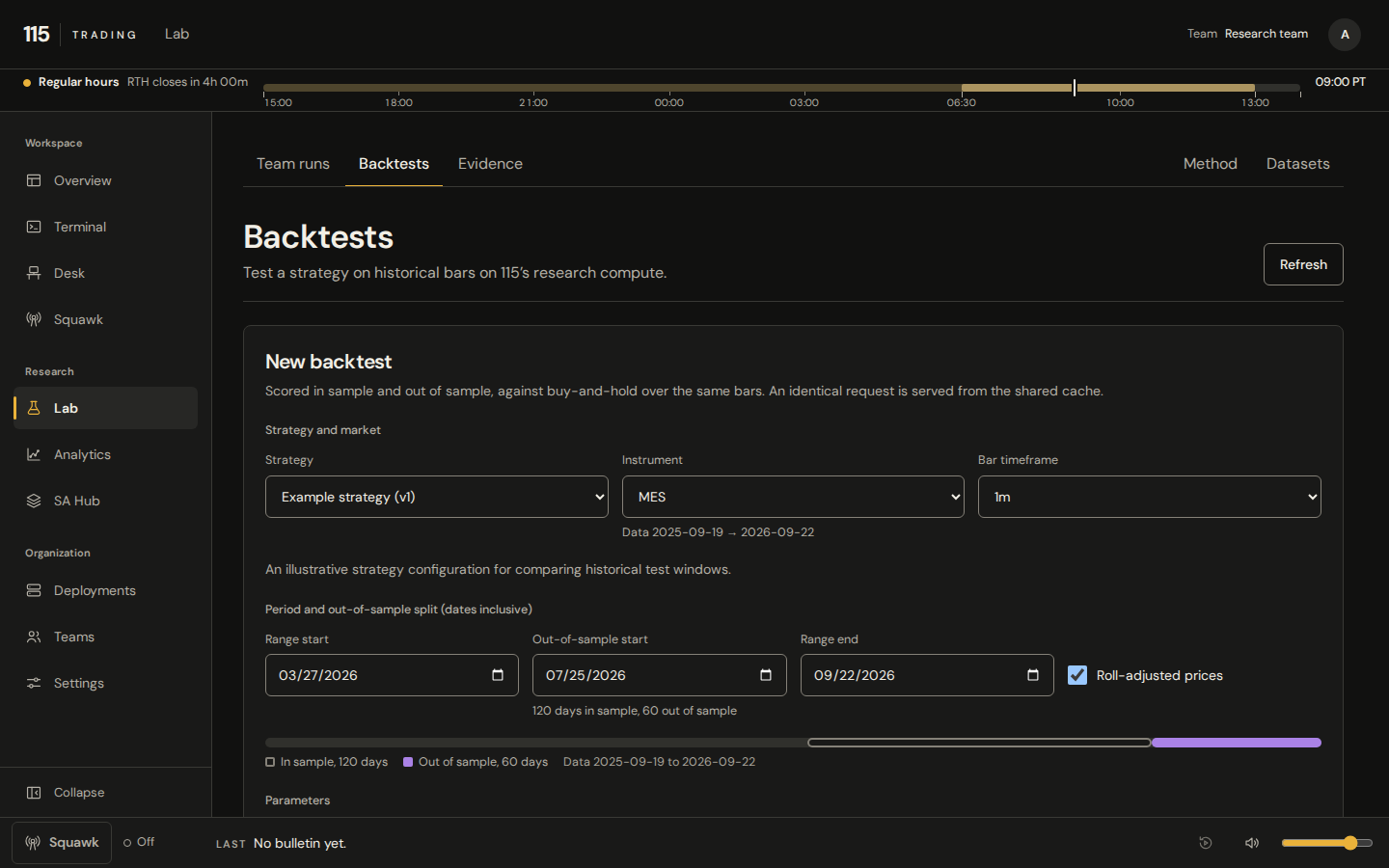
Browse references in SA Hub, then choose an instrument and a supported strategy in Lab. Set the configuration, then follow the backtest from submission to result. Lab keeps the experiment close to the evidence.
The run record
Read the record before the result.
Inspect the fields recorded for the run. A missing input, assumption or measurement stays unavailable; do not fill it in from a different experiment.
- Data window and configuration
Check the strategy, instrument, historical window and configuration. Keep evaluation data separate from the data used to choose or tune the candidate.
- Status and available evidence
Follow a supported hosted backtest from submission to its final state. A failed job is not a completed evaluation; missing evidence is not a result.
- Assumptions and limitations
Read the recorded assumptions and limitations beside the result. Consider data coverage, costs and risk before deciding what deserves another test.
- What to try next
Keep failed and unsuccessful experiments in view. Change a deliberate part of the question and test again.
Compare available runs
Put two records beside the same question.
In Backtests, select two completed hosted backtests available to our desk. Review their recorded evaluation windows, configuration, cost assumptions and limitations before treating them as comparable.
Failed and incomplete hosted jobs stay in the record but cannot be selected for comparison. Team runs supports a separate comparison of two available received runs. Choose the view that matches the evidence you want to inspect. Team permissions and available evidence determine what you can review.
A failed or incomplete experiment remains part of the record. Missing measurements are unavailable, and a backtest does not establish future performance.
Explore the platformTest beyond the data you tuned on.
Use validation data to compare candidates. Keep final test data separate from development and tuning. The diagram explains the method; it is not a strategy result.
optimize (in-sample) prove out (never fitted)
fold 1Fold 1: optimized on 2019.0 to 2022.0, proven out on 2022.0 to 2023.0.
fold 2Fold 2: optimized on 2019.6 to 2022.6, proven out on 2022.6 to 2023.6.
fold 3Fold 3: optimized on 2020.2 to 2023.2, proven out on 2023.2 to 2024.2.
fold 4Fold 4: optimized on 2020.8 to 2023.8, proven out on 2023.8 to 2024.8.
fold 5Fold 5: optimized on 2021.4 to 2024.4, proven out on 2024.4 to 2025.4.
fold 6Fold 6: optimized on 2022.0 to 2025.0, proven out on 2025.0 to 2026.0.
Illustrative
Models in the research loop
Let the evidence guide what you train.
The direction is a connected loop: select strategies, test them, choose model-training experiments and evaluate what changes. Tuning strategy parameters is distinct from training a model.
Our internal model research informs this workflow. A backtest or catalog selection is distinct from model training.
Research tools operate within explicit permissions and supported configurations.