115TRADING

Invitation-only beta

One team. One place to work.

115 connects the strategy catalog, research jobs and operational context in a hosted workspace. Bring a question, test a configuration and use the evidence to decide what comes next.

The workspace

Select. Test. Review.

  • SA Hub: choose what to investigate

    Browse strategies and models. Find a starting point for your team’s next experiment.

  • Lab: put the configuration to the test

    Submit supported backtests, follow job status and inspect completed results with the inputs and limitations in view.

  • Desk: stay close to the operation

    Review market context and team state. Research access and trading authorization are separate.

Explore Lab

The public walkthrough

From an invitation to an experiment.

Follow the hosted journey before requesting access. Account setup, team membership and research permissions are agreed with 115.

  1. Request beta access

    Tell us about your team and the work you want to do. A person at 115 will arrange a walkthrough and discuss the access available today.

    Request beta access
  2. Accept your invitation

    Use the account invitation arranged during onboarding. If it has expired, contact 115 for help. An account invitation does not enable every capability.

    How invitations work
  3. Join your team

    115 confirms your team membership and permissions. After signing in, choose from the teams available to your account. Team setup is arranged with 115.

    Understand team access
  4. Choose a starting point

    Browse strategy and model references in SA Hub, then choose a supported strategy in Lab. Define the question your team wants to test.

    Explore the workspace
  5. Test in Lab

    Set the strategy, instrument, historical window and configuration. Submit a supported hosted backtest in Backtests and follow its status before reviewing the result.

    Inspect the run record
  6. Review the evidence

    Choose two completed hosted backtests and compare their recorded windows, configuration, cost assumptions and limitations. Decide what to investigate next; failed jobs remain in the record.

    Compare available runs
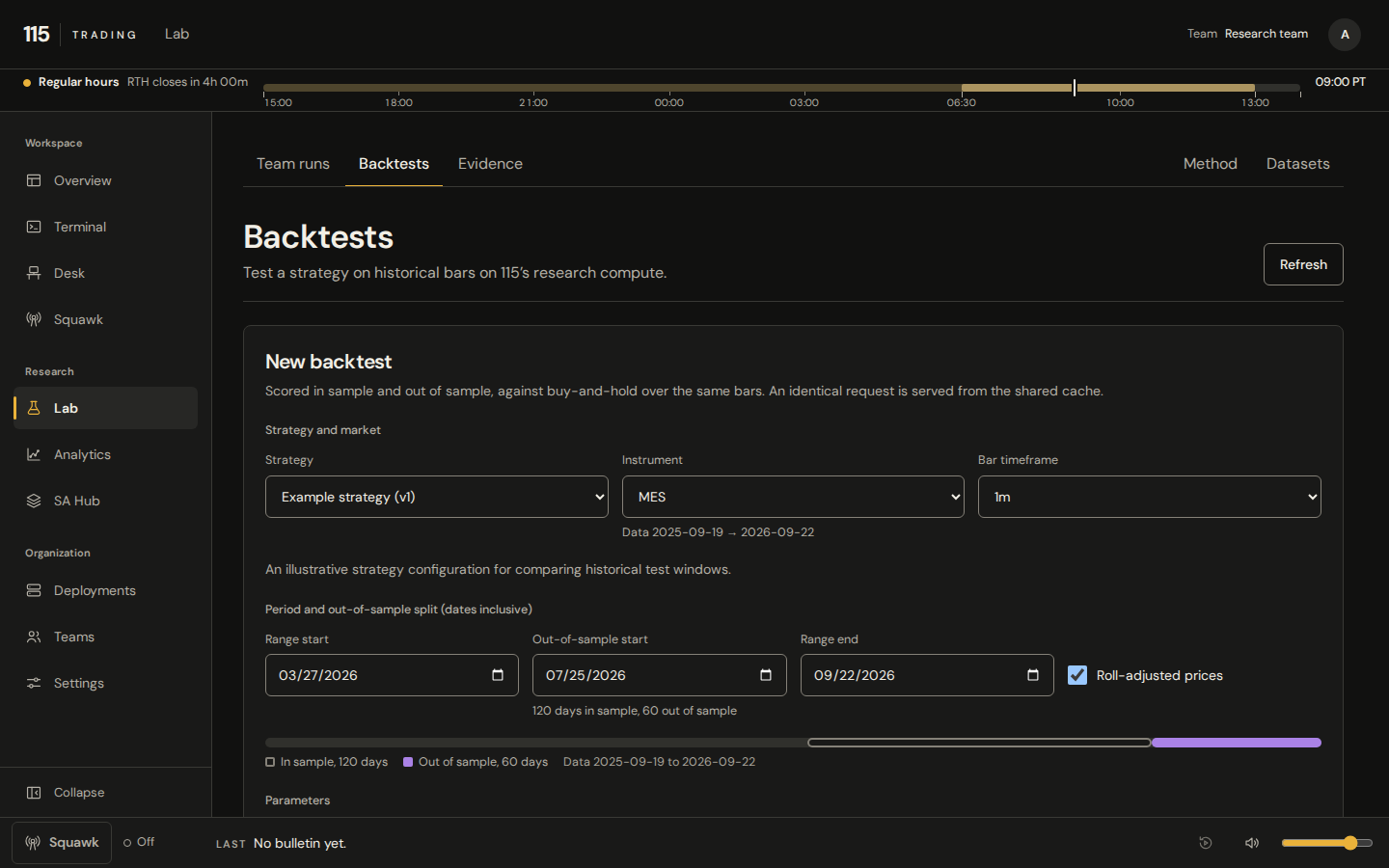
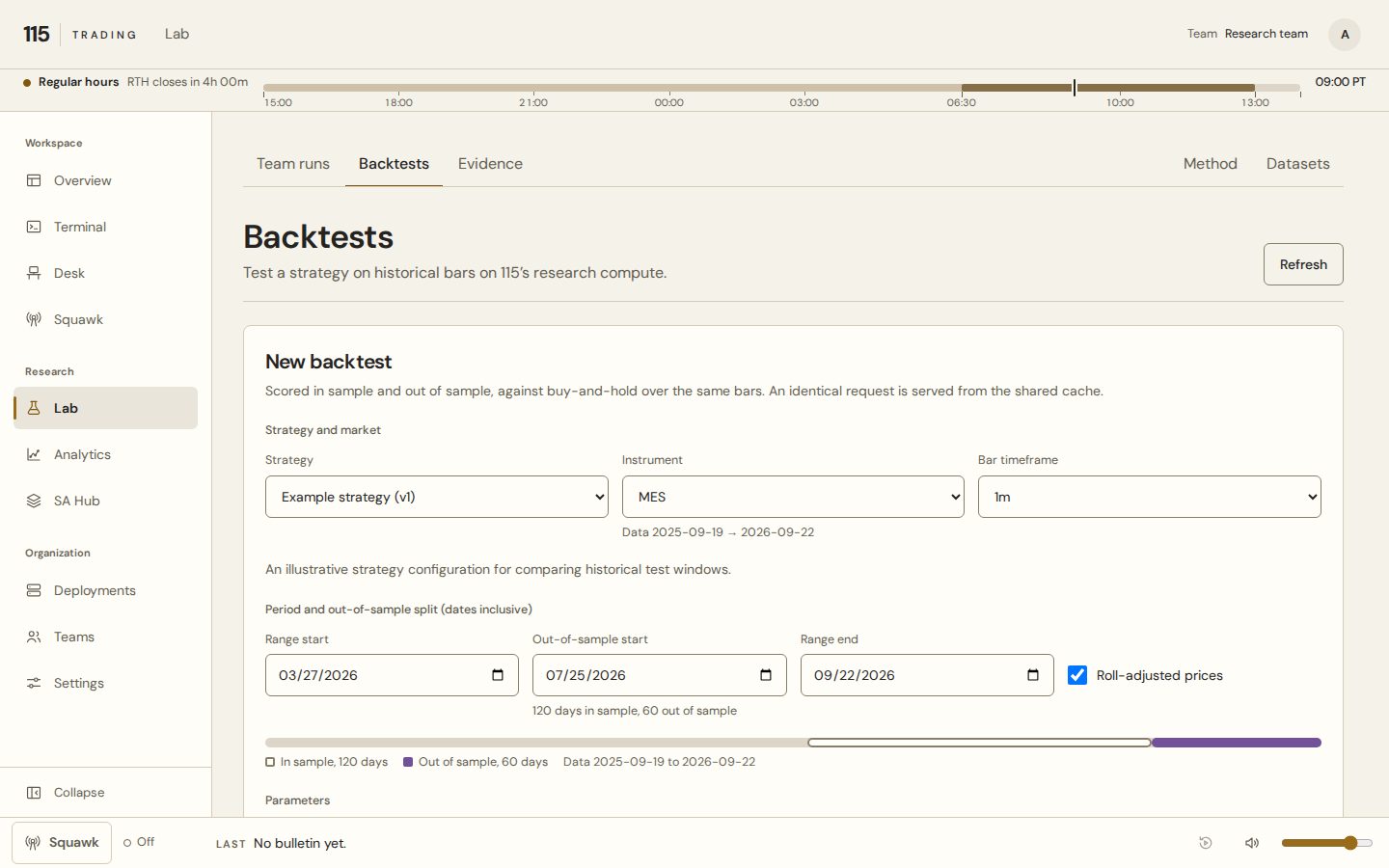
A look inside Lab

See the backtest setup, then explore the research workflow. The capture uses synthetic demonstration data and shows backtest setup, not investment performance.

Lab backtest setup · Actual interface, synthetic demonstration data.Not investment performance.Scroll the preview to explore the form.

Select

Start with a question.

Choose a strategy and an available instrument. Keep the market, historical window and configuration explicit.

The inputs are part of the experiment.

Team access

A workspace with clear boundaries.

Access is by invitation. Your team’s permissions, available data and configured research tools determine what you can use today. An invitation does not enable every capability.

Customer model training is not available in the hosted app.

How hosted access works

Risk disclosure

  • Trading involves substantial risk of loss and is not suitable for everyone.
  • Hypothetical and backtested results have inherent limitations: they are prepared with the benefit of hindsight and do not represent actual trading.
  • Past performance does not guarantee future results.
  • Nothing on this site is investment advice, or a recommendation to buy or sell any security, futures contract or other instrument.

For your team

Start with your research workflow.

Tell us what your team wants to test and how you work today. We will walk through the hosted platform and the access available for your team.

Request beta access
  1. Tell us about your team.
  2. Walk through the platform with a person at 115.
  3. Agree your team’s access and onboarding.